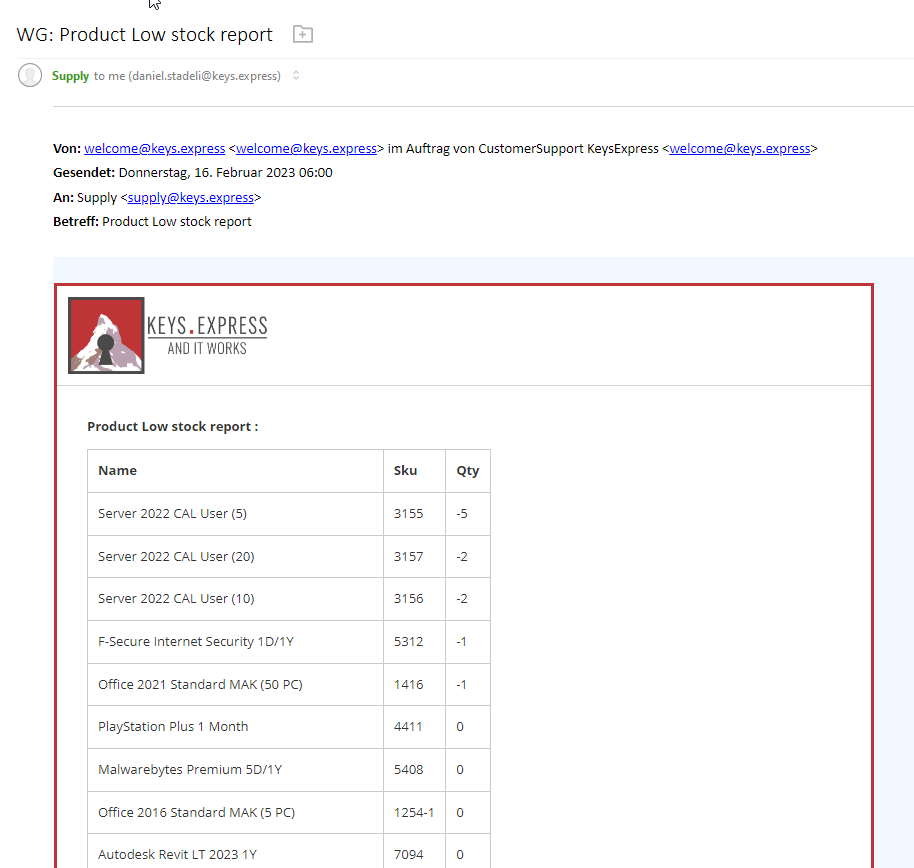
We have an email report that lists all the products that fall below a pre-defined stock level.
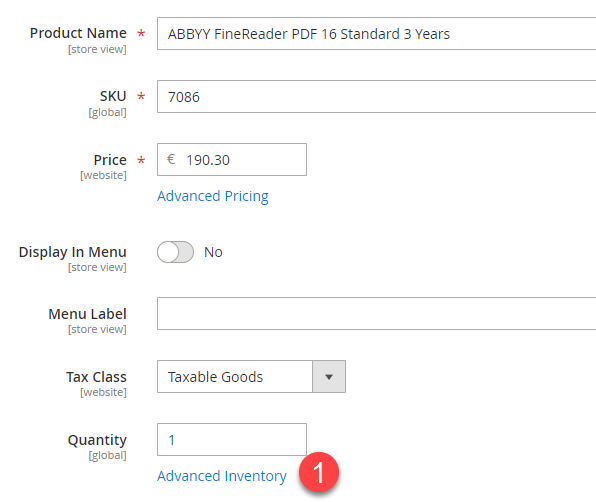
- To set the stock level (threshold), edit the product and go to Advanced Inventory
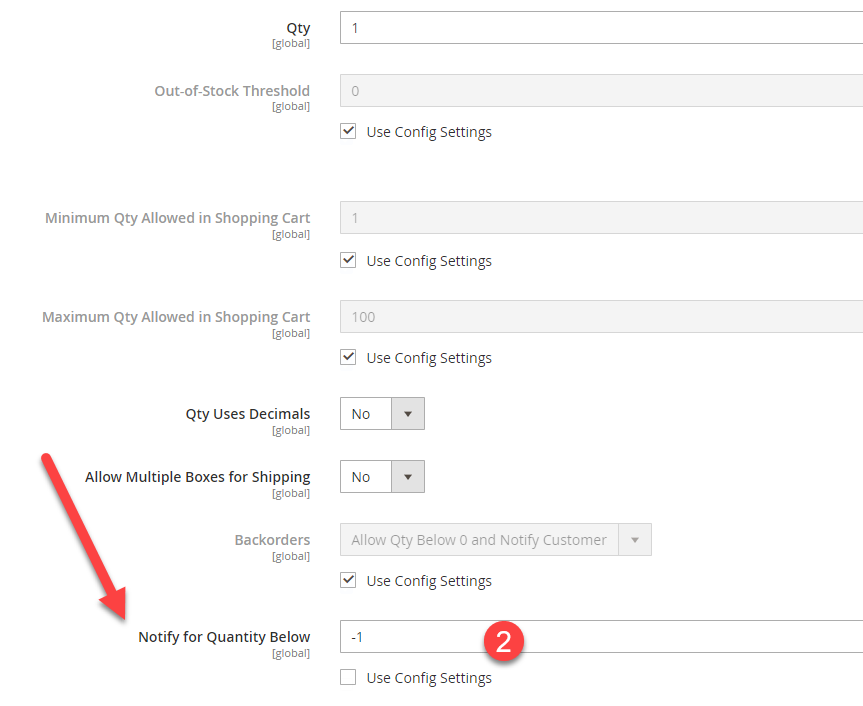
2. Set the Stock level in the field “Notify for Quantity Below” to a number. If the stock falls below this number, it will be included on the list
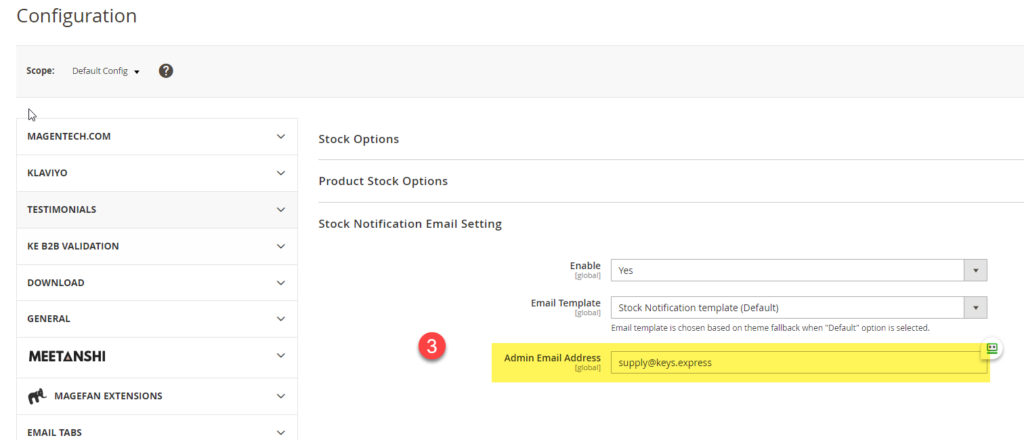
Set the recipient of the list #
3. Go to Stores > Configuration > Catalog > Inventory > Stock Notification Email Setting and list the email under Admin Email Address
Product Low Stock Report #
This is how the report looks like