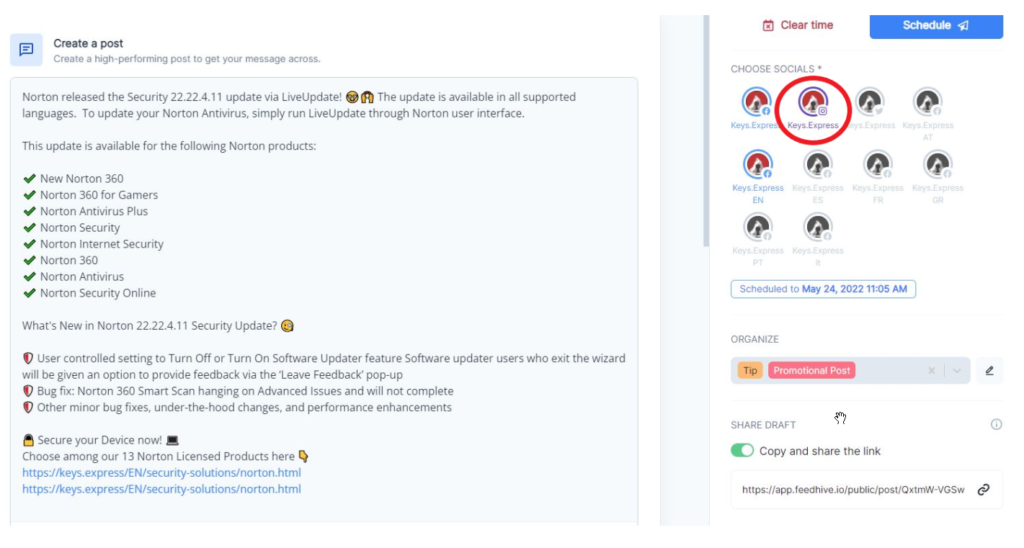
With the all-in-one Social Media Management Tool “Feedhive.io” you can visually plan and schedule individual posts for all your connected social media accounts.
Follow these steps to add the Social Accounts of your choice to Feedhive.io
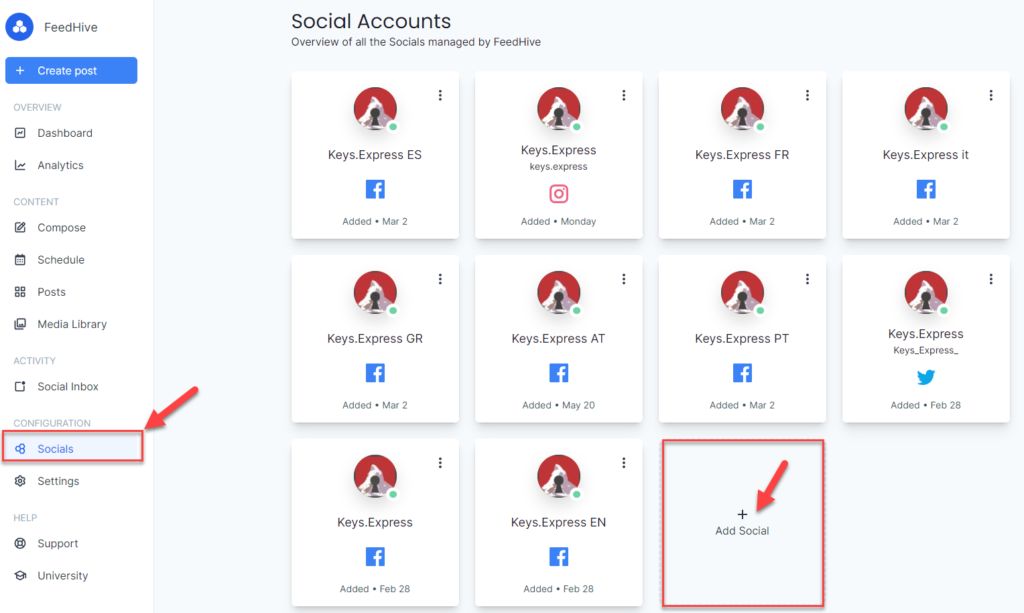
- When in the FeedHive app, go to Social then click on Add Social at the bottom.
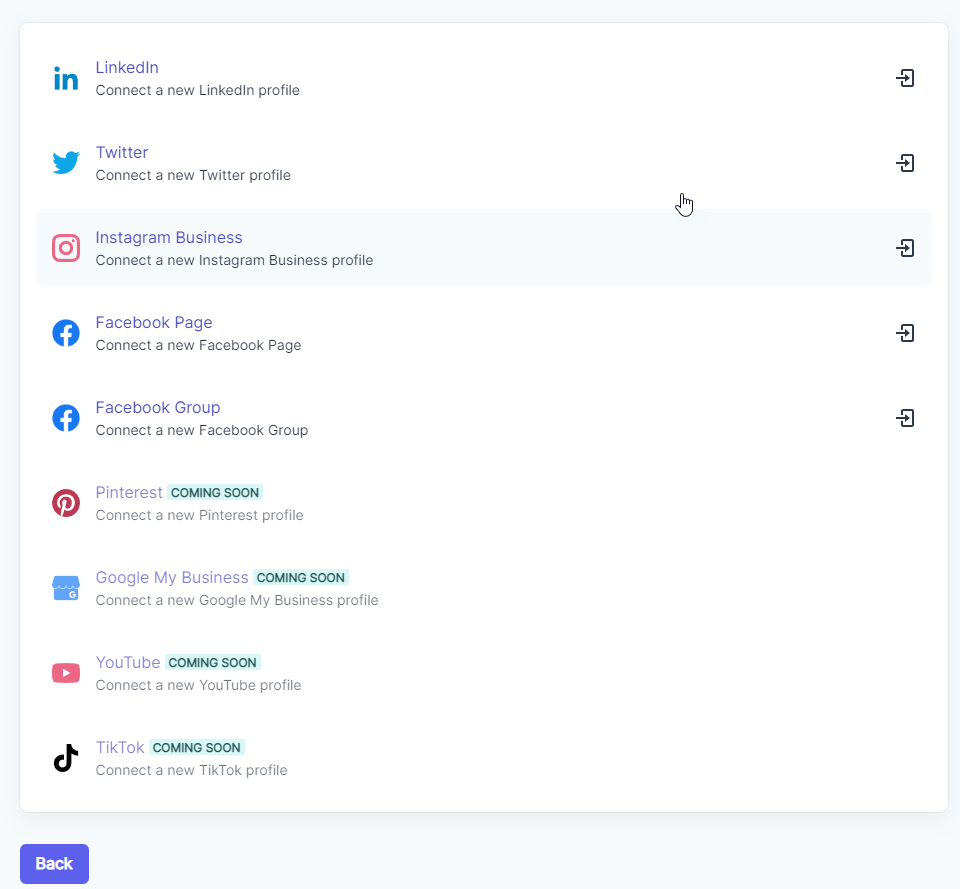
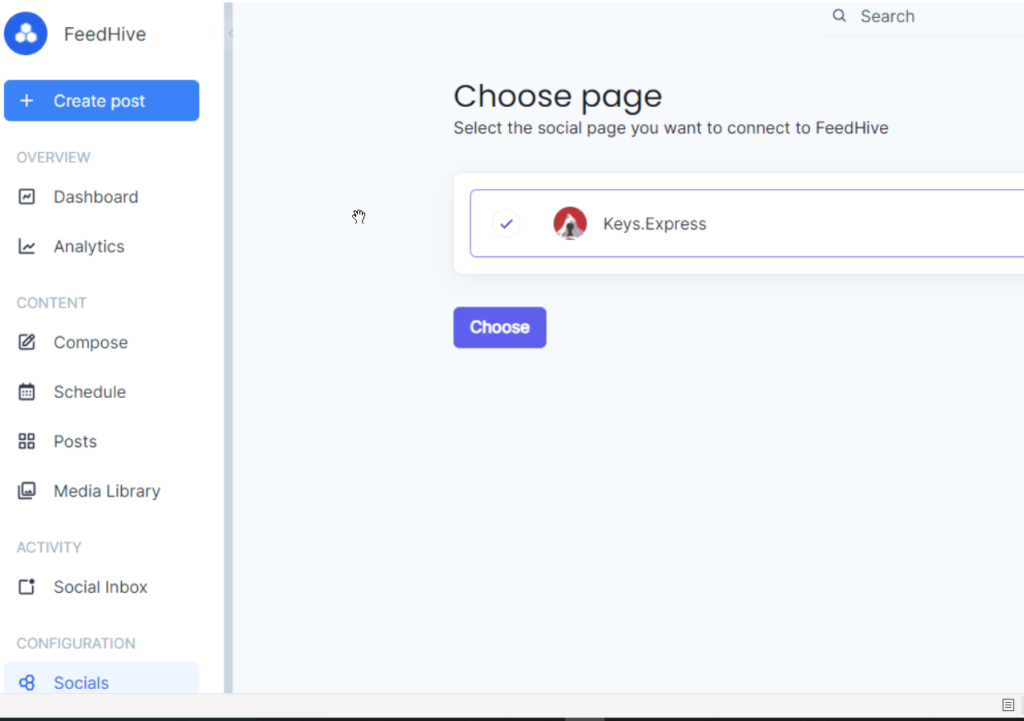
3) After you authorized FeedHive.io to access the Social Account of your choice by typing in your username and password, the new added page should reflect in the social media options.
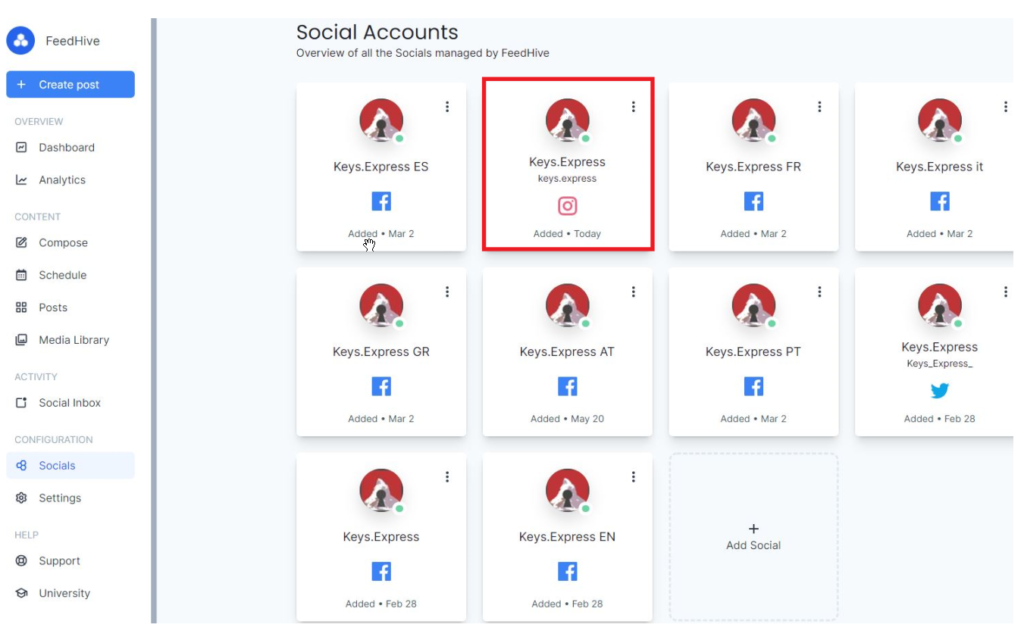
4) You can now use it when scheduling a post by clicking on the options available.