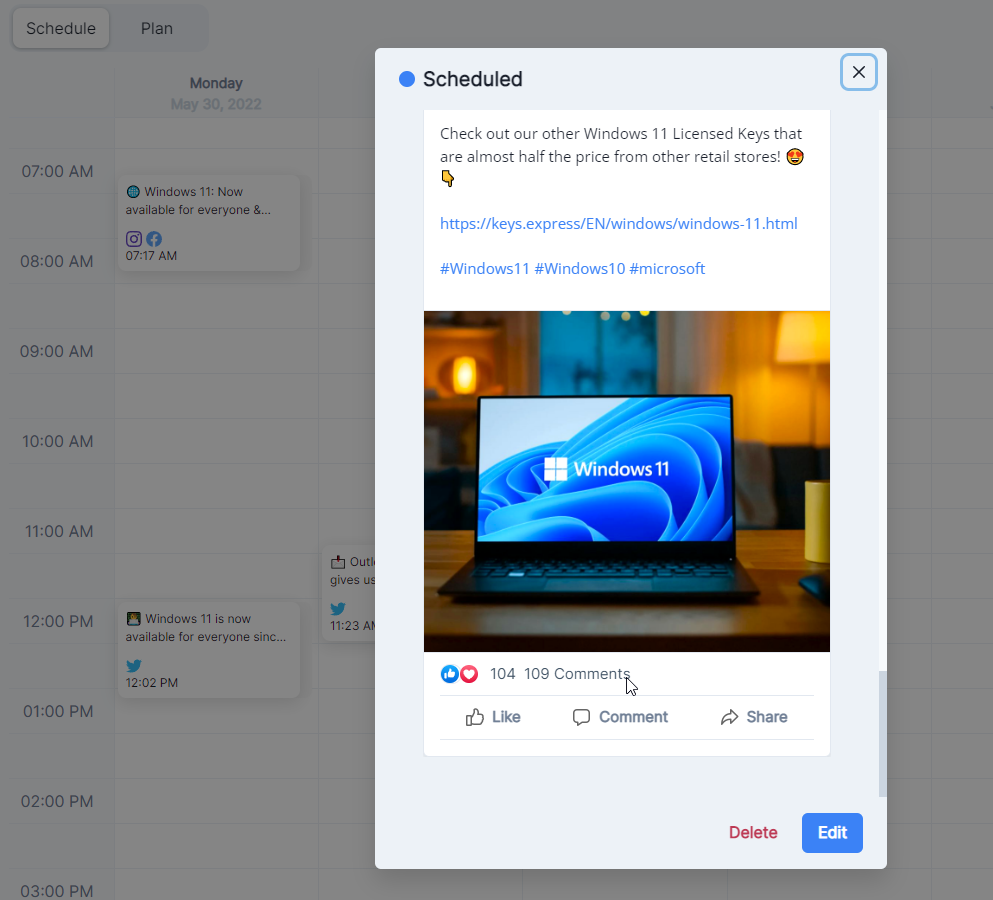
With the all-in-one Social Media Management Tool “Feedhive.io” you can visually plan and schedule individual posts for all your connected social media accounts.
Just follow these simple steps:
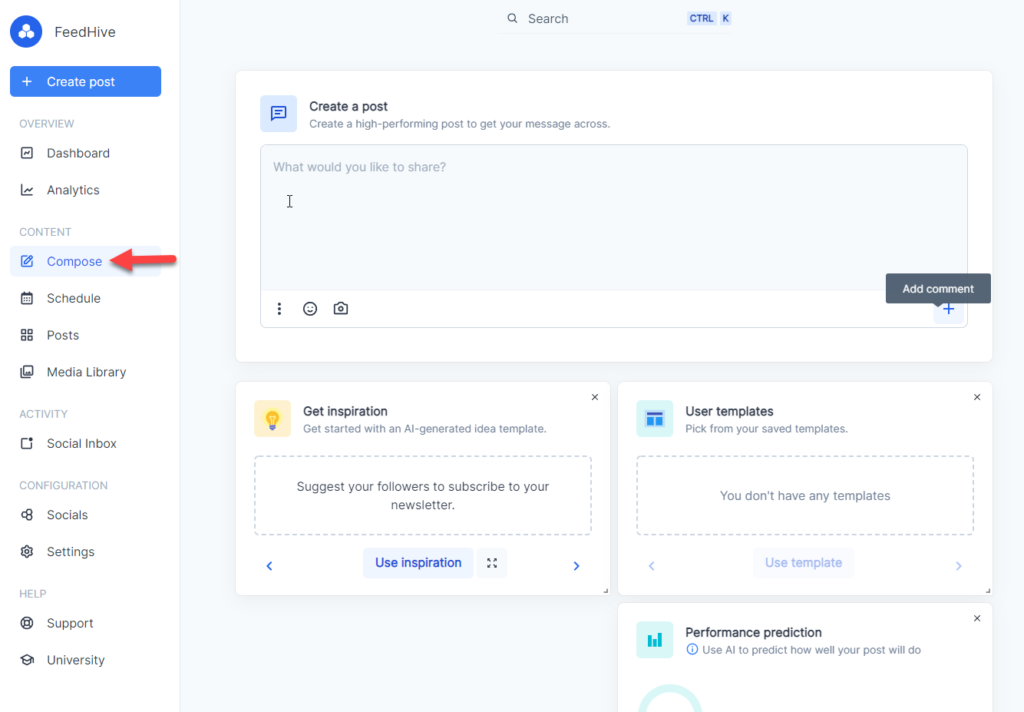
- To schedule a post, go to the website “Feedhive.io”. Click on “Compose” then start writing your content if you have pre-made content that‘s ready for you to paste, then you may do so in the box.
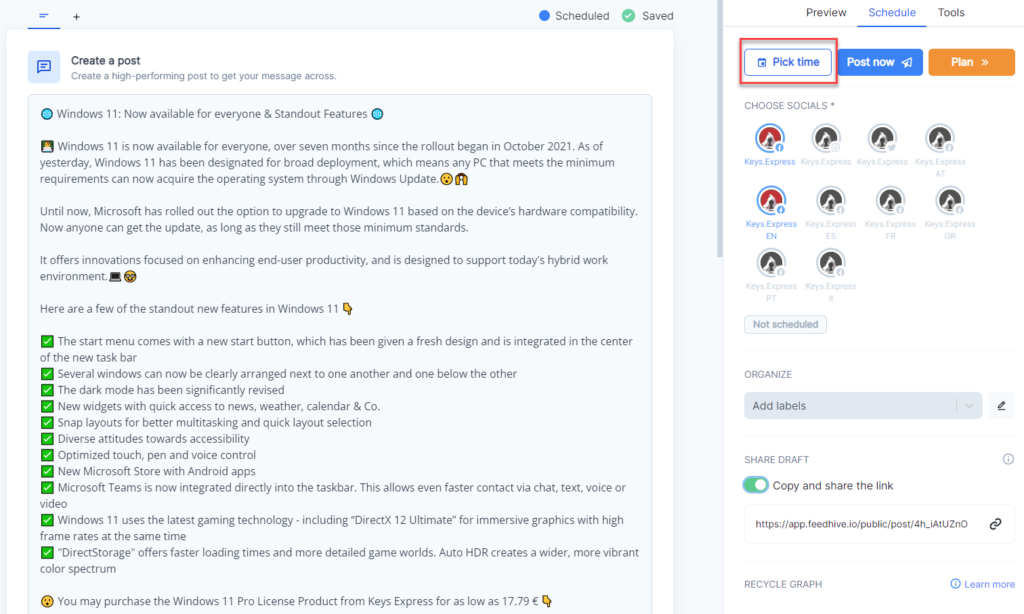
2) Once you‘re done pasting or writing your caption, you may select the Date you want to post it by clicking on “Pick Time”.
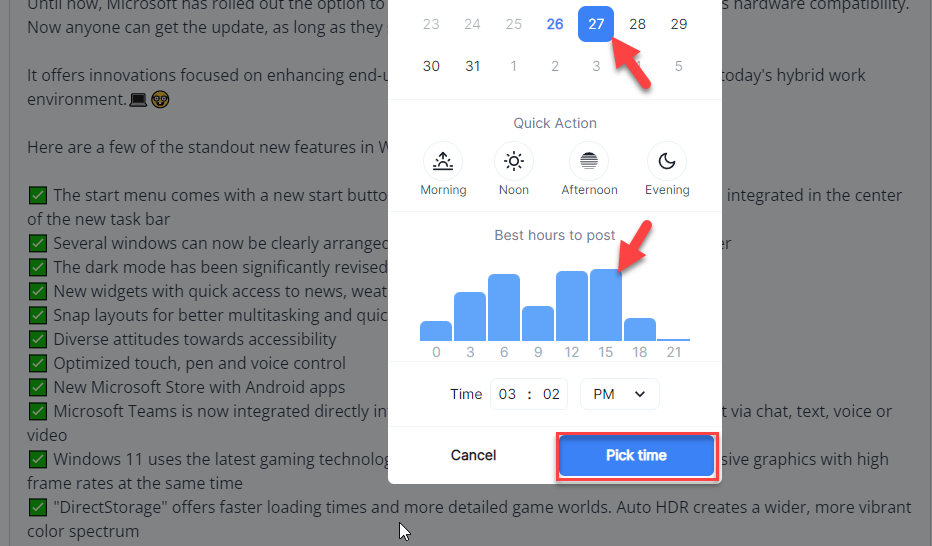
3) Once you have selected the date, it allows you to preselect a specific Time that results in the best engagement activity of your audience according to Feedhive‘s AI. Select the Time according the highest engagement in the graph, then click on “Pick Time”.
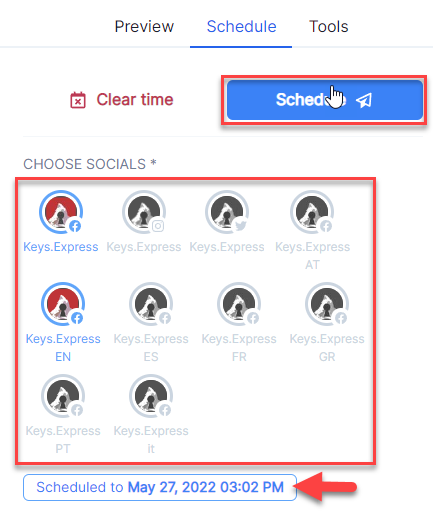
4) After picking the right date and time, you may choose the Social Media pages you want the content to be posted by clicking on multiple accounts under the “Socials”. You will then see the summary of the final date and time it will be posted and on which accounts. If everything is all good, click on “Schedule”. Important: Please ensure that the correct Social Media page is selected. If it concerns the English language/follower base on Facebook for example, the correct page would be “Keys.Express EN”.
5) It will notify you that you have successfully scheduled a post and that you can view it on the Schedule tab. Make sure to choose Monthly to see everything that‘s scheduled.
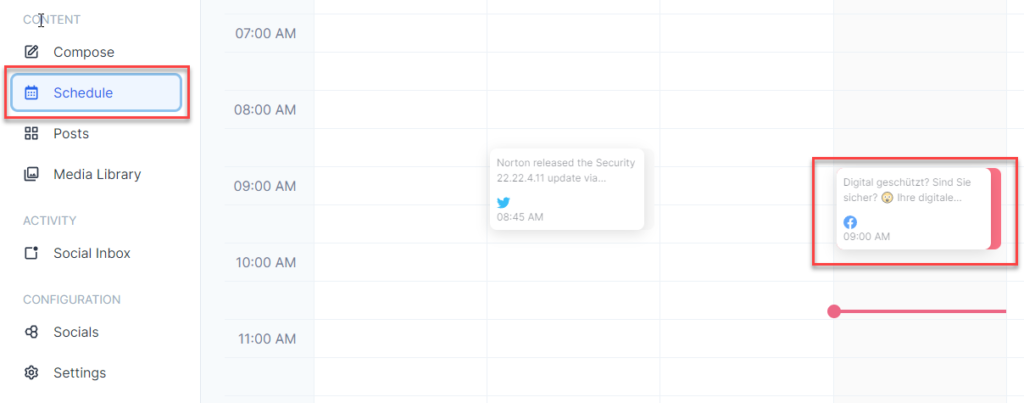
6) If you wish to see how it would look like exactly when it‘s posted online, you just have to click on the scheduled post then it will show you the Preview. You may edit it however you want before the scheduled date.